

When it comes to supporter outreach, nonprofits have a lot to accomplish. Fundraising, increasing awareness, and attracting interested volunteers and staff are all essential and cost time and money to promote.
Fortunately, many software vendors and social media platforms offer nonprofits free or low-cost tools. One of these is Google for Nonprofits, one of the most powerful opportunities.
With the resource, nonprofits gain access to numerous useful marketing and organizational tools. In this guide, we’ll explain Google for Nonprofits, how to use two of its core features, and how your nonprofit can apply for the program.
What is Google for Nonprofits?
Google for Nonprofits is one of the search engine’s corporate social responsibility (CSR) programs. Alongside it, Google runs several programs that benefit the greater social good. By investing in nonprofits, the company boosts its reputation with the community it helps, creates a positive work environment for its employees, and earns tax breaks based on its nonprofit spending.
Google for Nonprofits is a unique program among CSR initiatives that can be summed up as a marketing sponsorship and software in-kind donation. In other words, nonprofits accepted into the program receive free access to marketing and various workspace tools. Plus, unlike many corporate grant programs, Google has no limit on the number of nonprofits accepted, meaning organizations that apply don’t need to worry about limited spaces for funds.
However, only some nonprofits are eligible for Google for Nonprofits. 360MatchPro’s Google Grants eligibility guide explains a few basic requirements for applying to Google for Nonprofits:
- Nonprofit registration. Organizations must be registered nonprofits in their country. For U.S.-based nonprofits, this means being a registered 501(c)(3). Additionally, fiscally sponsored organizations that do not have their own 501(c)(3) registration are ineligible.
- Organization type. The following types of nonprofit organizations are ineligible for the Google for Nonprofits program: government organizations and entities, hospitals and healthcare organizations, and schools and academic institutions. However, the foundations and charitable arms of schools and hospitals are eligible.
- Website quality. For the Google Ad Grant specifically, nonprofits must have websites that Google deems valuable. This means the websites contain original content, have no third-party ads, and are secure.
If you have questions about applying for Google for Nonprofits, the company has dedicated help pages that explain eligibility criteria, application guidelines, account setup, and more.
The Ad Grant
With approximately 8.5 billion daily searches, Google is one of the biggest and most important marketing channels for all types of organizations, including nonprofits. Fortunately, charitable organizations with Google for Nonprofit accounts can apply for free funding to advertise on the search results page in a few easy steps.
This program is called the Google Ad Grant, and nonprofits with a Google for Nonprofits account are in a great place to take the next step to apply for it. To get more specific, the Google Ad Grant requirements nonprofits need to meet are:
- Website domain ownership. Your nonprofit must own its website. You can purchase the domain name through a domain name registrar service if you haven’t already.
- Website security. Your website needs to have secure socket layers (SSL) certification. Websites with this protection have URLs that begin with “https” instead of unprotected websites with just “http.”
- Unique, mission-related content. Your website should include original, substantial, and mission-related content created by your team. Be wary about using AI-generated content, as Google is cracking down on this type of low-quality content.
- Positive user-experience. This includes no broken links, fast load times, clear navigation, and straightforward calls to action.
- Limited ads. Nonprofit websites should primarily promote their cause and not be used for commercial activity. Ads such as promotions for your nonprofit’s merchandise store are acceptable as they contribute to your mission, and your nonprofit is not making money by displaying them.
With an Ad Grant, your nonprofit can advertise any page on your nonprofit’s website to millions of users for free. Use this marketing opportunity to inform potential beneficiaries about your services, promote fundraisers, recruit volunteers, drive donations, and more.
Google Workspace
If you’ve ever used Google Docs or have a Gmail account, you’re already familiar with a few workspace applications. While most of these products are free for casual users, they have limited space and access for small and medium-sized organizations like your nonprofit.
A Google for Nonprofits account gives you free access to Google Workspace. To put into perspective what that means, Getting Attention’s guide to Google Workspace for nonprofits has this helpful infographic of the apps that are available through this program:
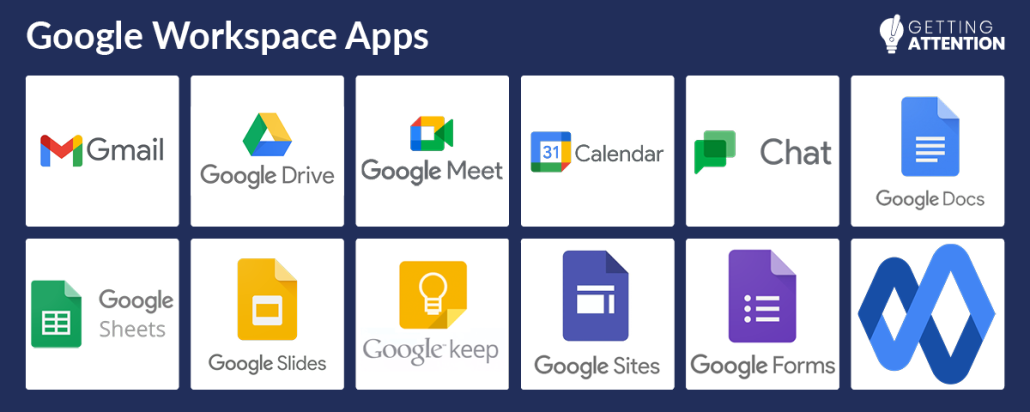
If just a list of apps alone isn’t persuasive, let’s walk through an example of how your nonprofit might use almost all these apps to manage an important fundraiser like a Giving Tuesday campaign:
- Set up Gmail accounts for your nonprofit so each team member has a professional email address when contacting donors.
- Host meetings to plan campaign details through Google Meet, which is especially useful for hybrid and remote teams. Google Calendar can be used to schedule these meetings and set project deadlines to ensure all planning is wrapped up before your campaign’s launch Then, for quick check-ins, teams can use Google Chat.
- Create documents and plan your strategy to use across the workspace, which are accessible to your entire team in Google Drive.
Whether planning a fundraising event, marketing strategy, initiative, or anything else, the basic organizational tools provided for free through a Google Workspace account are unbeatable.
If your nonprofit is interested in using Google’s tools for nonprofits, you can apply for access right away. Check your nonprofit’s eligibility, and take the next step by navigating to Google for Nonprofit to start your application for the program. Good luck!